Conflict of darkness controls
Keyboard and mouse

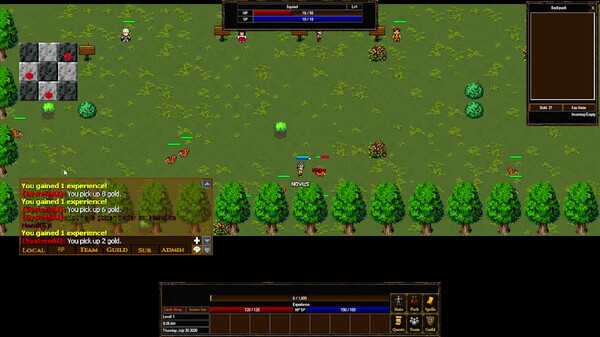
Conflict of Darkness plays like a classic 2D MMORPG, and the default keyboard and mouse layout sticks to that tradition. The confirmed feature list includes both Keyboard Only and Mouse Only options, so you can run the game with one input device or a mix of both. These are the expected defaults for the coming-soon Early Access build; because the game is still in development, individual key names can shift before launch.
Movement and targeting
- W / A / S / D: Move your character in all four directions.
- Mouse click: Interact with objects and use click-to-move behavior when you enable the Mouse Only option.
- Tab: Cycle to the nearest enemy or interactable NPC.
- Space: Pick up items and confirm dialog prompts.
Skills and hotbar
- 1 through 0: Main hotbar slots for combat skills, potions, and consumables.
- F1 through F8: Secondary bar for longer cooldown abilities and utility skills.
- Enter: Open chat input; press again to send your message.
- E: Context action for talking to quest NPCs and activating nearby objects.
Menu and interface keys
- I: Open inventory.
- C: Open character and stats.
- K: Open the skills and mastery menu.
- L: Open the quest log.
- M: Toggle the minimap and world map.
- G: Open the guild menu.
- Esc: Close open windows and reach the options menu.
The layout keeps essential systems only a keypress away. Since the game is playable without timed input, you will not lose a fight because a screen prompt demanded a sudden keystroke; your own rhythm controls combat, not forced quick-time events.
Gamepad
Controller bindings are not part of the confirmed input set for the current build. The feature list confirms Keyboard Only and Mouse Only options, but it does not include a gamepad profile, so treat full controller support as unconfirmed until the Early Access build is available to play.
- Check the options menu first: the input section will show immediately whether a controller profile shipped with your build.
- Learn the keyboard defaults as your baseline: if gamepad bindings arrive later, they will map to the same actions, so the layout knowledge carries over.
- Do not assume console-style binds apply: this is a PC-first MMO listing with keyboard and mouse as its announced input methods.
If you map a controller through your own system tools, the game remains playable without timed input and saves anytime, so there is no risk in experimenting with your setup before starting a longer session.
Tips and rebinding
A few habits make the default layout comfortable over long play sessions and PvP fights:
- Keep combat keys close to movement. Bind your most-used skills to 1 through 5 so your left hand never leaves WASD mid-fight.
- Try the Mouse Only option if you prefer click-to-move play; it is a confirmed input mode and removes the need to hold directional keys.
- Pair the Keyboard Only option with menu keys. Without a mouse, make sure inventory, map, quest log, and guild shortcuts are reachable without shifting your whole hand.
- Use the custom volume controls. The game supports Custom Volume Controls, so separate sound effects from music; audio cues can warn you about approaching monsters while your eyes stay on health and hotbars.
- Test new bindings with save anytime. Save before changing keys, try the new layout for a few minutes, and revert if it does not feel right.
Before entering PvP or guild content, spend a few minutes in a low-risk area with your chosen bindings. Because the game is playable without timed input, you can safely check your key layout mid-session without losing a fight to a control prompt.
Conflict of Darkness also runs on modest hardware, with minimum requirements of 1 GB RAM,50 MB of storage, and a 64-bit Windows 10 system. That makes keyboard-only play a realistic option on older laptops where an external mouse is uncomfortable. Whether you stay with the defaults or rebind everything, the confirmed input modes cover both play styles, so the control scheme should not be the reason a run ends early.